Example dream
Our family's first home
Two years of saving — one last step to the keys of our own front door.
Live progress, on-chain
Start a dream like this
Send money in seconds, swap in a single tap, and fund the dreams that matter — in one heavenly wallet where you hold the keys.
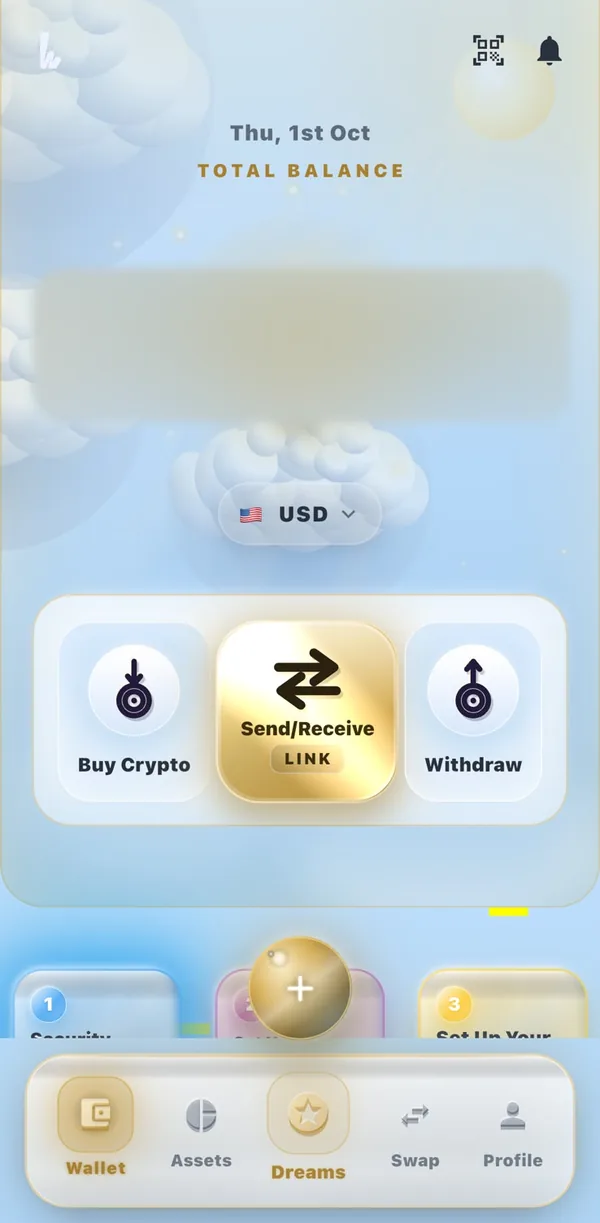 🔒 Balance hidden for privacy
It's free to start. Tell us what brings you here and we'll show you why Heaven fits.
What brings you to Heaven?
Start on the web in your browser today, or get the app:
Scroll, and the phone walks you through Heaven Wallet one page at a time — real screens from the app, with every feature pointed out.
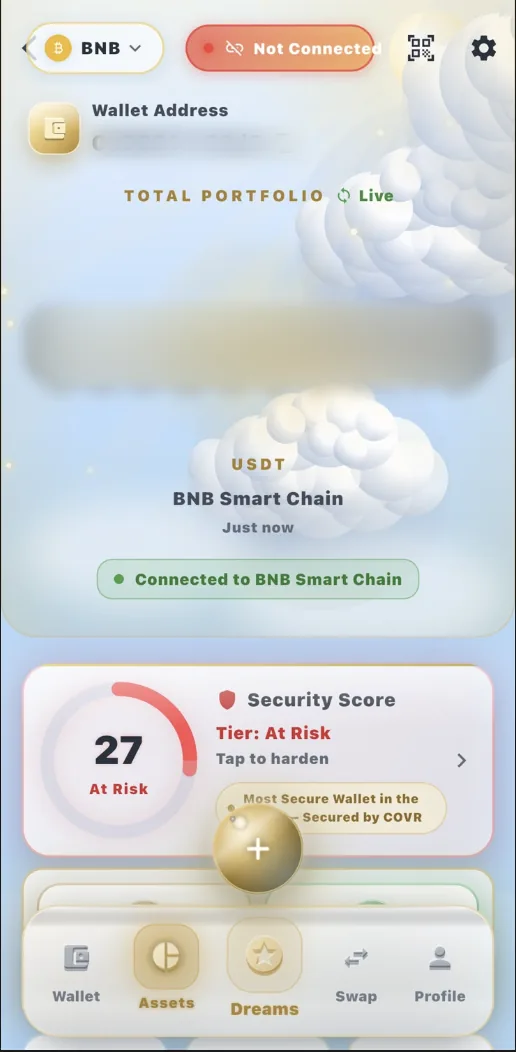
🔒 Balance hidden for privacy1234Open Heaven Wallet and your total balance is waiting for you, in the currency you choose. Everything starts here.
Every token on every network, valued live — and a clear picture of how safe your wallet is.
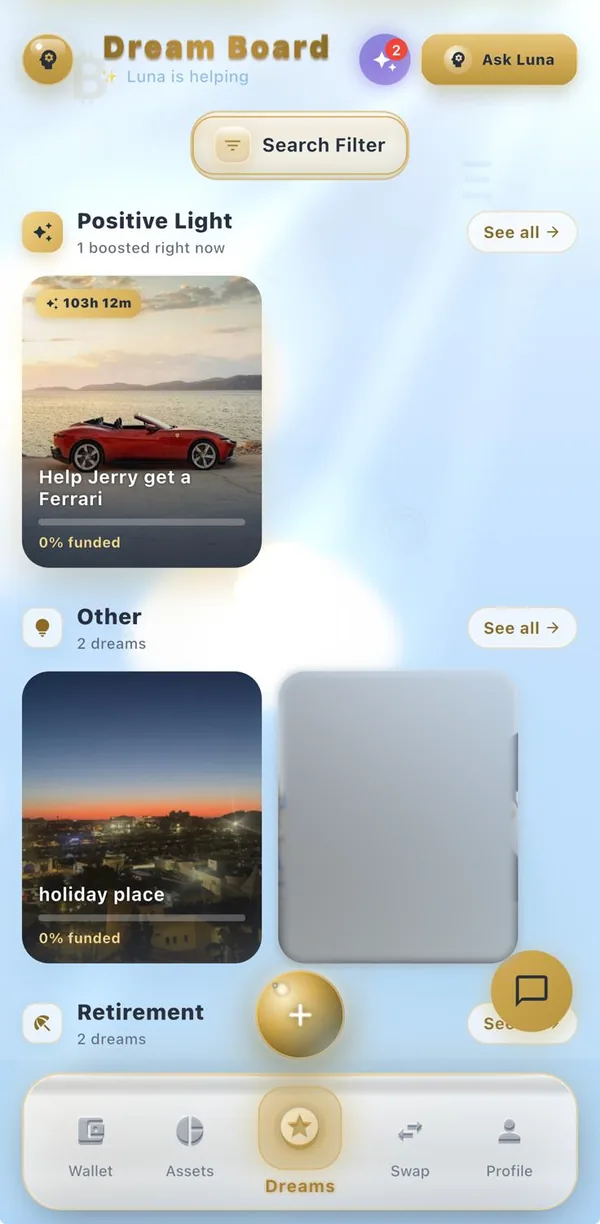
Discover dreams from the Heaven community. Dreams lit up by Positive Light rise to the top.
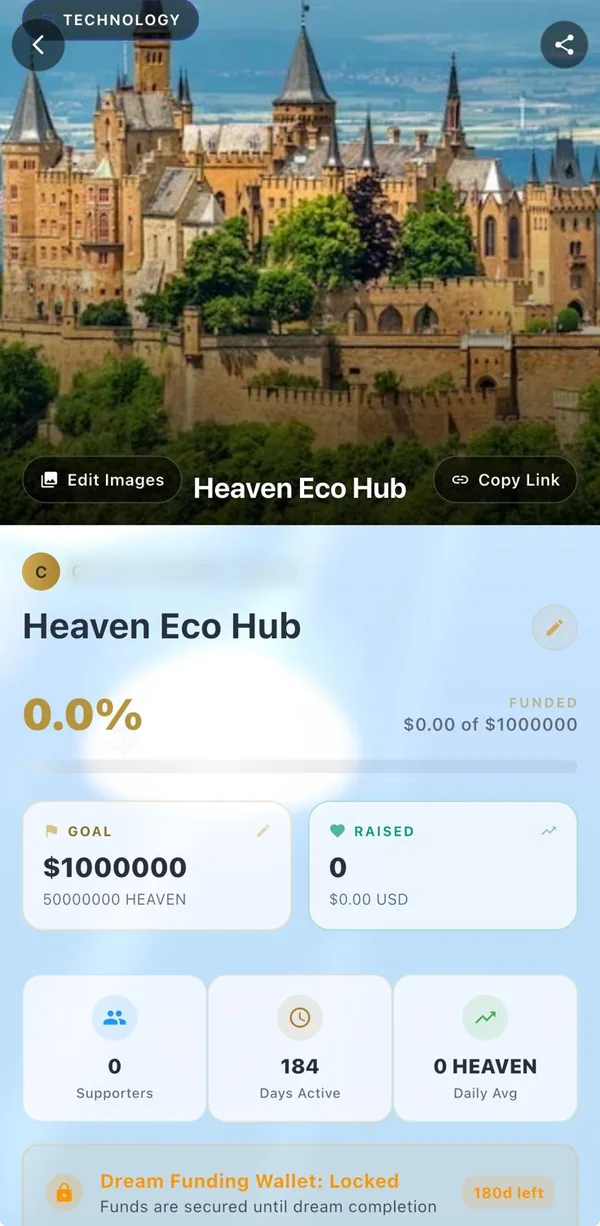
Each dream gets a beautiful page and its own funding wallet — ready to share with the world.
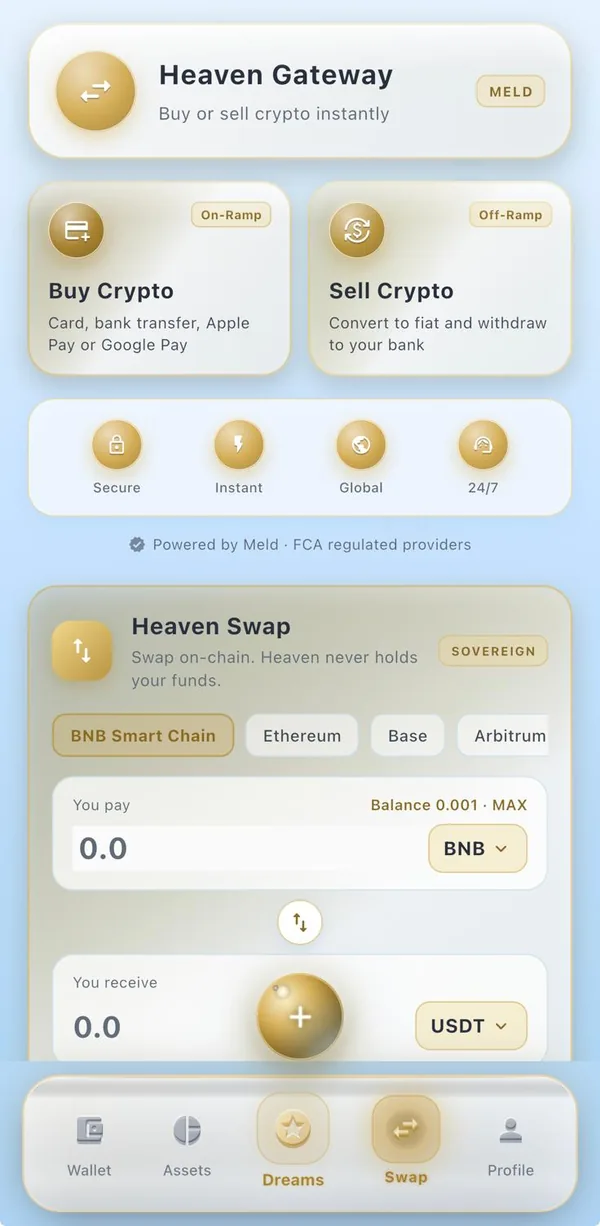
Move between money and crypto without leaving the app.
A home, a family, a business, an education — whatever yours is, Heaven Dreams gives it a page, a wallet and a community that can help it come true.
Two years of saving — one last step to the keys of our own front door.
Illustrative example — not a real campaign.
Tell your story, add photos and set a goal. Your dream gets its own wallet.
Every dream has a beautiful page with a rich preview for WhatsApp, social and email.
Supporters give in HEAVEN straight to your dream — and see the fee and impact before they give.
Progress updates live. Thank your backers, and they keep every dream they've backed in their wallet.
Generosity lights dreams up. Giving earns Positive Light, and boosts lift dreams higher in Heaven Dreams so more people see them.
Powerful where it counts, simple where it matters — your whole financial life in a single, beautifully designed app.
Your keys never leave your device. They're kept in its encrypted secure storage, and you can lock the app with your fingerprint or face.
Send and receive across multiple networks. Scan a QR or share a link, and see the fees before you confirm.
Create a shareable payment link or QR for any token and amount. The recipient just taps to pay — no addresses to copy.
Turn a goal into a fundable dream. Share it, accept support from your community, and watch the progress fill live.
Swap between supported tokens inside the app, with live prices and the full history of your portfolio.
Luna explains what's happening in plain English and gives personal suggestions to help your goals and dreams move faster.
On-chain transfers settle once confirmed by the network. Network (gas) fees may apply.
Heaven Link turns any request into a clean, shareable URL and QR code. Pick a token, set an amount and send it anywhere — message, email or print. Recipients open it and pay in a tap.
Luna is your guide inside the Heaven ecosystem. She walks you through each step and offers personal, plain-English suggestions on what to share and when — to help your dream reach more people.
Heaven Wallet uses industry-standard encryption, secure key storage and biometric authentication to protect your assets.
Fully non-custodial. Private keys are generated and stored only on your device.
Lock the app with your fingerprint or face, and confirm key moments, such as viewing your recovery phrase, the same way.
Sensitive data is encrypted at rest in your device's secure storage: the Android Keystore on Android, the Keychain on iPhone.
Industry-standard cryptography throughout, with privacy-respecting defaults.
Straight answers on keys, fees, networks and getting started.
You do. Your wallet's keys are created on your own device and kept in its secure storage (encrypted storage backed by the Android Keystore on Android, the Keychain on iPhone, or your browser's storage on the web). They are not uploaded to Heaven's servers. The one exception is a dream's funding wallet, which Heaven holds for the dream (see the Heaven Dreams question).
Creating an account and holding a wallet costs nothing. Sending a token such as USDT, USDC or HEAVEN carries a 1% Heaven fee, capped at $20 on larger sends. Sending a network's own coin (such as BNB or ETH) or anything on TRON has no Heaven fee. Heaven Swap charges 1%, or 0.1% between two stablecoins. Every network also charges its own gas fee, and a swap also pays the liquidity pool's own trading fee, which is already included in the quote. The app shows the fee before you confirm.
You can hold, send and receive on BNB Smart Chain, Ethereum, TRON, Polygon, Arbitrum, Base, Optimism and Avalanche. Supported tokens include each network's own coin and USDC, USDT on every network except Base, plus HEAVEN and Binance-pegged BTC (BTCB) on BNB Smart Chain and wrapped BTC (WBTC) on Ethereum. Heaven Swap trades on seven of these networks, all except TRON.
Android: yes, on Google Play. iPhone: the app is coming soon to the App Store. In the meantime you can sign up and use Heaven Wallet in your browser at heaven-wallet-8dc63.web.app.
Sign up free with your email address, then create a new wallet or import one you already have. The wallet is made on your device, and you should write down its recovery phrase.
Create a dream with your story, photos and a goal, then share its page with one link. Each dream gets its own funding wallet. Heaven's server holds that wallet's key, and only the dream's owner, checked by Heaven's server, can open it to withdraw. Supporters give in HEAVEN, USDT or USDC and see the Heaven fee (1%, capped at $20) before they give.
Positive Light is how a dream is boosted to the top of the Dream Board. A dream can be boosted with a paid boost, by exchanging XP, with a Positive Light voucher, or by the one-time 5-day boost given to your first dream. Boosts are granted only by Heaven's server.
Heaven Link turns a payment request into a link and QR code you can share. Pick a token and an amount, send it by message or email, and the person you send it to can pay in a tap.
COVR is an optional extra layer of protection that is part of Heaven Wallet Pro. Once it is set up, each send is checked against your blocked addresses and spending limits before it goes out, and asks for your COVR PIN (except small sends to addresses you trust). The Security Score on the Assets page rates your protection out of 100 and shows what to switch on next, such as a COVR PIN, biometric unlock or a recovery code.
Not to sign up or to hold a wallet. Accounts that have not completed Heaven's in-app identity check have a lower sending limit. Completing the check in the app moves you to the verified tier.
In the app, open Wallet Settings (the gear icon on the Assets page) and choose Delete Account under Danger Zone. If you can't get into the app, follow the email steps at heaven-wallet.com/delete-account.html. Back up your recovery phrase first: deleting removes the wallet from your device, and past blockchain transactions can't be erased.

One beautiful wallet to send, swap and dream. Create your free account in your browser today.